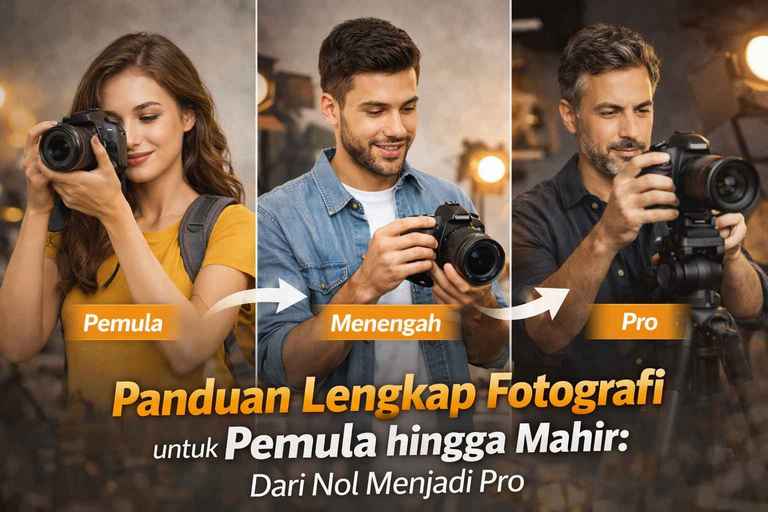
The Complete Guide to Photography for Beginners to Advanced: From Zero to Pro
A complete guide to photography for beginners to advanced is designed to be a single source of reference for anyone who wants to get serious about the visual world. Being a photographer is not just about owning an expensive camera, it's about mastering the light, understanding the tools, and honing your sense of art behind the lens. Whether you are a camera user mirrorless like the Lumix GH5 as well as users of smartphone, However, the principles that we will discuss below remain the same.
Chapter 1: Mastering the Exposure Triangle (The Holy Trinity of Photography)
In a complete guide to photography for beginners to advanced Here, the Exposure Triangle is the most crucial technical concept. Exposure is simply the amount of light that reaches your camera's sensor. If there is too much, the photo becomes plain white (overexposed). If there is too little, the photo becomes dark black (underexposed).
The Exposure Triangle consists of three interdependent elements: Aperture, Shutter Speed, and ISO. Understanding their relationship is the difference between a “hit-and-run” photographer and a professional photographer.
1.1 Aperture: Light Gate and Sharp Space Aesthetics
An aperture or diaphragm is a hole inside a lens that can expand or contract. In technical writing, aperture is denoted by the letter “f” (examples: f/1.8, f/2.8, f/8, f/11).
- Reverse Logic: This often confuses beginners. The smaller the f number, the larger the lens hole.
- f/1.8: The hole is very big. A lot of light enters. The background becomes very blur (Depth of Field is narrow). Very suitable for portrait or MUA photos to make the subject's face stand out.
- f/11 or f/16: The hole is very small. Little light enters. The entire area from front to back is sharp (wide Depth of Field). Very suitable for landscape photos.
Pro Tip: Every lens has a “Sweet Spot” or point of highest sharpness, usually located 2-3 stops above the maximum aperture (e.g. an f/1.8 lens will be very sharp at f/4 or f/5.6).
1.2 Shutter Speed: Controlling Time and Motion
Shutter speed is the duration of time that the camera sensor is open to capture light. It is measured in seconds or fractions of a second (e.g. 1/1000, 1/50, 1 second).
- Fast Shutter Speed (1/500 and above): Used to “freeze” motion. If you are photographing a running athlete or a bird in flight, you need high speed so that the subject does not look blurry (motion blur).
- Slow Shutter Speed (1/30 and below): Used to let light in for longer. This technique creates a soft, cotton-like or waterfall effect. light painting (painting with lights at night).
- Warning: When using low speeds below 1/60, human hands tend to shake. This is where you need Tripod.
1.3 ISO: Light Sensitivity and Noise Risk
ISO is the level of sensitivity of the camera sensor to light.
- ISO 100 - 400: Use when there is abundant light (daytime). The resulting image will be very clean, sharp, and without black spots (noise).
- ISO 800 - 3200: Use indoors or on cloudy days.
- ISO 6400 and above: Use it when conditions are very dark. However, be careful as the image will start to look “broken” or grainy (grain/noise).
Exposure Triangle Correlation Table (Cheatsheet for Your Readers)
| Elements | Upward Change | Effects on Light | Visual Effects |
| Aperture | Small f number (f/1.8) | Increased Light | Background Blur (Bokeh) |
| Shutter Speed | Large numbers (1/2000) | Reduced Light | Freeze Movement |
| ISO | Large numbers (6400) | Light Increase (Digital) | Noise/Grain appears |
1.4 How to Practice the Exposure Triangle (Manual Mode)
To become proficient, stop using mode Auto. Try the following steps:
- Set a Goal: Want a blurry background? Set the Aperture first (e.g. f/1.8).
- See Light: If it is broad daylight, set a very fast Shutter Speed (e.g. 1/2000) so that the photo is not all white.
- Final Touch: Use the lowest ISO (100) for the best quality. If the photo is still dark after setting the Aperture and Shutter, then increase the ISO gradually.
Also Read: Stop Auto Mode! Understand the Exposure Triangle for More Dramatic Photos
A complete guide to photography for beginners to advanced This emphasizes that balance is key. If you raise one element, you have to compensate for the other to maintain the right exposure.
Chapter 2: Getting to Know the Tools - Anatomy of a Camera, Sensors, and Optics
In a complete guide to photography for beginners to advanced Here, understanding tools doesn't mean you have to own the most expensive camera on the market. Understanding tools means knowing the limitations and potential of the device you are holding, be it a camera full-frame flagship, system Micro Four Thirds (MFT) cameras such as the Lumix GH5, or even the smartphone.
2.1 The Sensor Size Debate: Full Frame vs APS-C vs MFT
The sensor is the “movie” of the digital era. The size of the sensor determines how much light information can be captured and how the resulting image is characterized.
- Full Frame (35mm): Professional standards for low light. Has a dynamic range (dynamic range) which is extensive and transitional bokeh which is very smooth. However, their bodies and lenses tend to be bulky, heavy, and expensive.
- APS-C (Crop Sensor): A balance between price and performance. Very popular among daily and hobby photographers.
- Micro Four Thirds (MFT): The system used by Panasonic and Olympus. The sensor is smaller (crop factor 2x).
- Advantages of MFT for Pros: The size is compact. A 200mm telephoto lens in MFT is equivalent to 400mm in Full Frame without the excruciating weight. Ideal for photographers travel, wildlife, There are many types of documentaries, or documentaries that require high mobility.
2.2 Understanding Focal Length: The Eye of Your Camera
The lens is the most important component in determining the “feel” of a photo. The number in millimeters (mm) on the lens determines the angle-of-view (angle of view).
- Wide-Angle Lens (10mm - 35mm):
- Provides a broad perspective.
- Usability: Extensive architectural, interior and landscape photography.
- Notes: Watch out for distortions at the edges of the frame that could make objects appear stretched.
- Standard / Normal Lens (35mm - 50mm):
- Approaching the viewpoint of the human eye.
- Usability: Street photography, daily documentation, and journalism. The 50mm lens (Nifty Fifty) is a must-have lens for any beginner.
- Telephoto Lens (70mm - 600mm+):
- Narrowing the angle of view and “bringing” a distant subject closer.
- Usability: Sports, wildlife and portraiture (portrait). Telephoto lenses have a compression effect that makes the background appear closer to the subject.
- Macro Lenses:
- Specially designed for extremely close focus with a magnification ratio of 1:1.
- Usability: Capture insects, jewelry, or details of a product's texture.
2.3 Prime Lens vs Zoom Lens: Which is Better?
As part of a complete guide to photography for beginners to advanced, You should decide on your lens investment wisely.
- Zoom Lens: Offers flexibility (e.g. 24-70mm). You don't have to go back and forth or switch lenses to change the composition. Very handy for weddings (wedding) or event.
- Prime (Fix) Lens: Cannot zoom (e.g. 35mm only or 85mm only).
- Why does Pro love it? Prime lenses usually have sharper optical quality and aperture (aperture) is very large (f/1.4 or f/1.8). These lenses force the photographer to move more actively in search of creative angles of view.
2.4 The Importance of Megapixels: Myth or Fact?
In 2026, we often see cameras with 50MP, 60MP, or even more. However, for most needs (social media, standard-size prints, or blogs), 20MP is more than enough.
- When do you need high megapixels? If you do giant billboard printing or often do cropping (crop) the photo to the extreme.
- High Megapixel Weakness: The file size is very large, overloads the SD card memory, and requires a high-specification computer for editing.
2.5 Storage Media and Write Speed (SD Card)
Many beginners overlook the SD card. If you are shooting burst mode (continuous) or 4K video, you need a card with a high write speed (V30 or V60). Don't let a cheap memory card hamper the performance of your expensive camera.
Chapter 3: Composition - The Art of Arranging Frames that Tell a Story
In a complete guide to photography for beginners to advanced Here, composition is the most subjective element but has strong ground rules. If the Exposure Triangle (Chapter 1) is math, then Composition is poetry. Composition is how you arrange the visual elements in a shot to direct the viewer's eyes to the main subject and convey a message without words.
3.1 Rule of Thirds
This is the most basic and most effective composition technique. Imagine your frame divided into nine equal squares by two horizontal and two vertical lines.
- Techniques: Place your main subject at one of the four points where the lines intersect, not right in the center.
- Effect: The photo feels more dynamic, balanced, and gives the viewer's eyes room to “breathe” into the background.
3.2 Leading Lines
The human eye will naturally follow the lines in the image.
- Techniques: Use elements such as roads, fences, railways, streams, or even shadows to direct the viewer's gaze towards the main subject.
- Effect: Creating depth (depth) is amazing and makes the photo feel three-dimensional even though it is in a two-dimensional medium.
3.3 Golden Ratio
More complex than Rule of Thirds, This technique uses a mathematical constant (Phi) that is often found in nature (such as snail shells).
- Techniques: Arrange the photo elements following a spiral line that centers on the subject.
- Effect: It creates a very organic visual harmony and is often considered the most “perfect” composition by the masters of classical art.
3.4 Framing within Framing
This technique uses elements in the surrounding environment to create a second “frame” for your subject.
- Techniques: Shoot the subject through a window, door, gap in the leaves, or under the arch of a bridge.
- Effect: Provides a very strong focus on the subject and adds layers (layering) story on your photos.
3.5 Symmetry and Patterns
Humans love order. Symmetry can be found in architecture or water reflections.
- Techniques: Put the line of symmetry right in the center of the frame (this is an exception for Rule of Thirds). For patterns, look for repetition of elements such as rows of chairs or building tiles.
- Effect: It gives a sense of calm, stability, and sometimes looks very grand or artistic.
3.6 Negative Space
Sometimes, what no what's inside the frame is just as important as what's there.
- Techniques: Leave a large empty area (such as a clean blue sky or a plain wall) around the small subject.
- Effect: Creates a sense of minimalism, loneliness, or luxury. It is especially effective for product photography or artistic portraits.
3.7 Fill the Frame
Contrary to Negative Space, This technique requires you to get as close to the subject as possible.
- Techniques: Eliminate distractions in the background by filling the entire frame with the details of the subject (e.g. just the face or eye texture).
- Effect: It provides intimate and powerful details, making the viewer really focus on textures and expressions.
3.8 Depth and Layering
Flat photos are often boring. Use a concept Foreground, Midground, and Background.
- Techniques: Put something slightly blurry in front of the camera (e.g. flowers or grass), the subject in the center, and the scenery at the back.
- Effect: It creates the illusion of distance and makes the audience feel as if they are actually in the location.
3.9 Unique Point of View
Don't always shoot at eye level (eye-level).
- Bird's Eye View: Shoot from top to bottom for a map feel or subject reduction.
- Worm's Eye View: Shoot from the bottom up to make the subject appear big, grand and powerful.
Also Read: The Secret of Golden Composition: Make Your Photos a True Work of Art
Chapter 4: Secrets of Lighting - Carving Dimension with Light
In a complete guide to photography for beginners to advanced Here, lighting is the element that separates a “flat” photo from one that has artistic depth. Light serves not just to make the subject visible, but to create an atmosphere (mood), emphasize texture, and give dimension to two-dimensional objects.
4.1 Light Characteristics: Hard Light vs Soft Light
Understanding the difference between hard light and soft light is the first step for any pro photographer.
- Hard Light: Produced by a light source that is small relative to the subject (such as the noonday sun or a lamp). flash directly).
- Characteristics: Very firm, high-contrast shadows.
- When to use: For a dramatic, masculine feel, or to accentuate a rough texture (like old architecture).
- Soft Light: Produced by a light source that is large relative to the subject (such as the sun behind clouds or the use of softbox).
- Characteristics: Shadow transitions are smooth and there is minimal contrast.
- When to use: The gold standard for photos portrait or MUA because it can camouflage skin blemishes and wrinkles.
4.2 Light Direction and its Visual Impact
Where you place the lamp (or where the subject stands against the sun) determines the shape of the shadow.
- Front Lighting: Eliminates shadows on the face. Gives clear details but tends to make the face appear “flat” without dimension.
- Side Lighting: Light from a 90-degree angle. This technique is very effective for bringing out texture and giving a strong three-dimensional feel.
- Backlighting: The light is behind the subject.
- Rim Light: Creates a line of light at the fringe of the subject's hair or shoulder, separating it from the dark background.
- Silhouette: If the subject is much darker than the background, you get a poetic silhouette effect.
4.3 Mastering Golden Hour and Blue Hour
For photographers landscape and outdoor portrait, time is everything.
- Golden Hour: It occurs just after sunrise or before sunset. The light is warm (yellowish), soft, and creates beautiful long shadows.
- Blue Hour: It happens just before sunrise or after sunset. The sky is a deep blue that contrasts with the orange city lights. Great for photography cityscape.
4.4 Classic Portrait Lighting Patterns
If you are serious about portrait photography, you need to master shadow patterns on faces:
- Rembrandt Lighting: A light pattern characterized by small triangles of light under the eyes on the dark side of the face. Gives a classic and mysterious impression.
- Butterfly Lighting: The light is placed right in front of the top of the subject, creating a small butterfly-shaped shadow under the nose. Very popular for photos beauty and fashion.
- Loop Lighting: Create a small loop-shaped shadow next to the nose. This is the safest pattern and suits almost all face shapes.
4.5 White Balance: Maintaining Color Accuracy
Light has a color temperature measured in Kelvin (K).
- 3200K (Incandescent): Yellow/warm light (like a light bulb).
- 5600K (Daylight): Normal sunlight that tends to be neutral/white.
- 6500K-9000K (Shade/Cloudy): Light that tends to be blue/cold.
Pro Tip: Always portrait in format RAW. With RAW, you can change White Balance perfectly during the editing process without damaging the photo quality.
4.6 Using Cheap Light Aids
You don't need expensive studio lights to get started. Use:
- Reflector: To reflect light into the shadow area so that it is not too dark (you can use white sterofoam).
- Diffuser: To soften harsh light (you can use a thin white cloth or window curtains).
Chapter 5: Editing Workflow (Post-Processing) - Perfecting the Digital Vision
In a complete guide to photography for beginners to advanced Here, we have to agree on one thing: editing This does not mean over-manipulating reality, but rather enhancing what is captured by the camera sensor. Camera sensors often capture images that are “flat” (flat). Your task at this stage post-processing is to restore the contrast, color, and dimensionality that you see with your own eyes when shooting.
5.1 RAW vs JPEG Format: Why RAW is a Must for Professionals?
Before touching software editing, you need to make sure the camera records in RAW.
- JPEG: Are files that have been “cooked” by the camera's processor. Light data is discarded to shrink the file size. If your photos are too dark, you can hardly save them without the appearance of noise which is severe.
- RAW: Is the raw data from the sensor. This file is much larger because it stores the dynamic range (dynamic range) which is extensive.
- Pros of RAW: You can change White Balance after the photo is taken without damaging the quality. You can draw details from the shadows (Shadows) and reduce the sky that is too bright (Highlights) very cleanly.
5.2 Editing Software Recommendation 2026
The world of editing has come a long way with the help of AI (Artificial Intelligence). Here are the most relevant tools:
- Adobe Lightroom Classic/CC: The industry standard for managing thousands of photos. Features Masking based AI (such as Select Subject or Select Sky) makes it easy for you to edit specific areas without disturbing other parts.
- Capture One: Often considered to have skin color reproduction (skin tone) which is more accurate than Lightroom. Very popular among photographers fashion and wedding.
- Luminar Neo: Aggressively using AI to replace the sky (Sky Replacement) or smoothen the face automatically.
- Affinity Photo: An alternative to Photoshop without a monthly subscription.
5.3 Basic Steps of Workflow Editing
To keep your photos consistent, make it a habit to follow a systematic workflow:
- Culling: Selects the best photos and deletes those that are blurry or badly exposed.
- Lens Correction: Eliminate distortions and vignette generated by the lens optics automatically.
- Basic Adjustments:
- Exposure: Adjust the overall brightness.
- Highlights & Shadows: Take details in the lightest and darkest areas.
- White Balance: Ensure that the white color is really white (not blue or yellow).
- Color Grading (Present Mood): Using HLS Panel (Hue, Saturation, Luminance) or Color Grading Circles to give an artistic touch, for example teal and orange which is popular.
- Detailing: Giving a little Sharpening and Noise Reduction for cleaner results.
5.4 Crop and Perspective
Don't underestimate the power Cropping. Sometimes an ordinary photo can become extraordinary just by removing distracting elements at the edge of the frame. Use tools Straighten to ensure that the horizon line is not skewed-a small mistake that beginners often make.
5.5 Ethics in Editing
As part of a complete guide to photography for beginners to advanced, It is important to understand the limits. For journalistic or documentary photography, you are prohibited from removing or adding objects in the photo. However, for photography fine art or commercial, your creativity is the limit.
Also Read: No-fuss Photo Editing: Best Editing Apps for Beginners (Free!)
Chapter 6: Getting to Know Different Genres of Photography - Finding Your Specialty
In a complete guide to photography for beginners to advanced Here, we come to the stage where technique meets interest. Photography is a vast field; each genre has different technical challenges, equipment, and artistic approaches. Understanding the characteristics of each genre will help you determine where your photographic “soul” lies.
6.1 Portrait Photography
The main focus of this genre is to capture human character, personality, and expression.
- Challenge: Communication and pose direction (posing). A portrait photographer should be able to make the subject feel comfortable in front of the camera.
- Tools: Lenses with a focal length of 50mm, 85mm, or 135mm are highly preferred because they provide minimal face distortion and beautiful bokeh.
- Tips: Always focus on the subject's eyes. The eyes are the windows to the soul; if the eyes are not sharp, the portrait photo will lose its power.
Also Read:
Tips for Posing a Model During a Photoshoot: Creating Dynamic and Engaging Portraits
Understanding Face Shape for Portrait Photography: A Professional Guide for Maximum Results
14 Tips to Direct a Model's Pose during a Photo session
6.2 Landscape Photography
A genre that focuses on the beauty of nature, open spaces, and man-made structures on a large scale.
- Challenge: Patience to wait for the best light (Golden Hour) and mastery of techniques Depth of Field which is extensive.
- Tools: Lenses Wide-Angle (14mm-24mm) and a sturdy tripod are mandatory. The use of ND (Natural Density) and CPL filters is highly recommended to adjust the contrast of the sky and water.
- Tips: Use elements foreground (such as rocks or flowers in front of the camera) to give a sense of depth to the vast scene.
6.3 Street Photography
Capturing spontaneous and honest moments (candid) of everyday life in public spaces.
- Challenge: The speed of reaction and the courage to photograph strangers without invading their privacy.
- Tools: A small, inconspicuous camera (such as the Fujifilm or Ricoh GR series) with a 35mm or 28mm lens is ideal.
- Tips: Don't just photograph people. Look for interactions between people and shadows, architectural lines, or color contrasts on the streets.
6.4 Wedding Photography
One of the most commercial genres that combines portraiture, journalism, and product photography together.
- Challenge: The pressure is high because the wedding moment cannot be repeated. You need to be ready to shoot in a variety of light conditions, from a dark church to outdoor the heat.
- Tools: Two camera bodies (one with a zoom lens, one with a prime lens) to avoid delays when changing lenses.
- Tips: Always have a backup plan (backup plan), ranging from extra batteries to backup SD cards.
6.5 Wildlife Photography
Capture animals in action in their natural habitat.
- Challenge: It requires knowledge of animal behavior, immense patience, and the physical ability to be in the wild.
- Tools: Long telephoto lens (200mm-600mm) with system Autofocus which is very fast and accurate.
- Tips: Use Shutter Speed very high speed (at least 1/1000s) to freeze the agile movements of animals.
6.6 Product and Food Photography (Commercial Photography)
Focus on the presentation of the object to make it look attractive to consumers.
- Challenge: Mastery of highly precise light control (lighting control) to avoid unwanted reflections on the surface of the object.
- Tools: Macro lenses (90mm or 100mm) are often used to capture the smallest details.
- Tips: Watch styling. In food photography, the arrangement of dishes and props often determines the final result more than the camera itself.
6.7 Architectural Photography
Capture the beauty of the building form, both interior and exterior.
- Challenge: Keeping the vertical line straight (not skewed/distorted).
- Tools: Lenses Tilt-Shift (professional) or the use of features Perspective Correction in Lightroom.
- Tips: Take a snapshot in time Blue Hour to make the building lights contrast with the deep blue of the sky.
Chapter 7: The Business & Personal Branding Side - Turning a Hobby into a Profession
In a complete guide to photography for beginners to advanced Here's the thing: photography is not just about aesthetics, but also about financial sustainability if you want to make it a career. Many talented photographers fail not because their work is bad, but because they don't understand how to sell themselves and manage a business.
7.1 Building a Portfolio that Sells
A portfolio is your visual “curriculum vitae”. Don't include every photo you've ever taken.
- Strict Curation: Display only the best 10-15 photos for each category. Quality is much more important than quantity.
- Print or Digital? In 2026, having a personal website (such as agusarmanto.com) is mandatory. Social media like Instagram may disappear or change its algorithm, but a website is an asset that you have complete control over.
- Niche: Clients would rather hire a “wedding specialist photographer” than an “all-around photographer”. Define your specialty to make your selling point higher.
7.2 Pricing Strategy
Pricing is the biggest challenge for beginner to advanced photographers.
- Cost-Based Pricing: Calculate the operational costs (transportation, equipment rental, insurance, camera depreciation) and then add the profit margin.
- Value-Based Pricing: Set the price based on the value that the client receives. Photographing the wedding of an official's child certainly has a different risk and value than photographing a small birthday event.
- Service Package: Create packages (Bronze, Silver, Gold) to provide psychological options for clients.
7.3 Local Marketing & SEO for Photographers
How do clients find you?
- Google Maps (GMB): Make sure your photography business is listed on Google Maps. If someone searches for “Photographer in Pati” or “Product Photo Service Central Java”, you should appear on the first page.
- Social Proof: Always ask for testimonials from clients and display them on your website. Behind-the-scenes photos (behind the scene) is also very effective for building trust that you are working professionally.
7.4 Legal Aspects: Copyright and Contracts
Never start a big project without a written contract.
- Model Release: A letter of permission from the subject of the photo for you to use their photo for promotional or commercial purposes.
- Copyright: Make it clear to the client whether they are buying “Property Rights” or just “Usage Rights”. By default, the copyright remains with the photographer unless otherwise stated in the contract.
7.5 Financial Management and Equipment Investment
Don't rush to buy the latest camera if the old one is still making money.
- Fund Allocation: Set aside 20% of each income for appliance renewal savings (gear upgrade) and 10% for marketing/advertising costs.
- Rent vs Buy: For tools that are rarely used (such as super telephoto lenses or large studio lights), renting is often more beneficial than buying.
Cover: The Future of Photography in the Age of AI (2026)
Close a complete guide to photography for beginners to advanced this, we must mention the role of Artificial Intelligence. In 2026, AI is not an enemy, but an assistant. AI can speed up the editing process, help with photo curation, and even provide composition suggestions.
However, one thing that AI can't replace is Human Vision and Emotional Connection. AI can create technically perfect images, but only humans can capture those soulful moments of “magic”.
Keep shooting, keep learning, and never stop exploring the world through your lens. Happy work!
FAQ: Most Frequently Asked Photography Questions (2026)
1. Do I have to study photography to become a professional photographer?
Answer: Not mandatory. In 2026, a digital portfolio will be more valuable than a formal diploma. Many successful photographers are self-taught through complete beginner-to-advanced photography guides, online workshops, and consistent field practice. However, art college provides an advantage in terms of networking (networking) and a more structured understanding of art theory.
2. Mirrorless vs DSLR cameras, which will be better in 2026?
Answer: The industry has officially transitioned to Mirrorless. Major manufacturers such as Canon, Nikon, and Sony have stopped developing new DSLR lenses. Mirrorless offers a system Autofocus AI-based eyes that can detect human, animal, and vehicle eyes with great precision, as well as a more compact body size for mobility.
3. What is the minimum budget to start a serious photography hobby?
Answer: You can start with a budget of around 7-10 million Rupiah. This is enough to get a camera body entry-level quality used (such as Sony A6000 series or Lumix G series) plus one lens prime 35mm or 50mm. Remember, it's better to invest in a quality lens than an expensive camera body but use a standard kit lens.
4. What is “Crop Factor” and how is it calculated?
Answer: Crop Factor is the ratio of the size of your camera's sensor to the Full Frame (35mm).
- APS-C: Has a crop factor of 1.5x (Sony/Nikon) or 1.6x (Canon).
- Micro Four Thirds (MFT): Has a crop factor of 2x. Example: A 25mm lens in an MFT camera will provide the same angle of view as a 50mm lens in a Full Frame camera. This is important to understand so that you don't choose the wrong lens for your needs. wide or tele.
5. How do I get sharp photos every time?
Answer: Sharpness is affected by three things:
- Shutter Speed: Make sure it is high enough to dampen hand vibrations (at least 1/focal length).
- Focal Point: Use Single Point AF for maximum accuracy on the subject's eyes.
- Aperture: Avoid using the largest aperture (e.g. f/1.4) unnecessarily, move up to f/2.8 or f/4 to get a wider sharp area.
6. Does a bigger “Megapixel” guarantee better photo quality?
Answer: Not always. Megapixels only determine how big a photo can be printed or how far a photo can be zoomed.crop. Image quality is actually more determined by the size of the sensor, the optical quality of the lens, and the ability of the camera's processor to handle noise and dynamic range (dynamic range).
7. What is the difference between Optical Zoom and Digital Zoom?
Answer: Optical Zoom uses glass elements inside the lens to bring the subject closer without losing quality. Digital Zoom is simply the process of digitally enlarging (cropping) an image in-camera, which results in a decrease in sharpness and the appearance of graininess (pixelated). Always prioritize Optical Zoom.
8. How do I overcome “Noise” in photos when shooting in the dark?
Answer: The best solution is to use a lens with a large aperture (f/1.8 or f/1.4) so that you don't have to raise the ISO too high. If you are forced to use a high ISO, use the Noise Reduction in editing software such as Adobe Lightroom or specialized AI-based software such as Topaz DeNoise.
9. What is a Histogram and why should photographers be able to read it?
Answer: A histogram is a graph that shows the distribution of light and dark in your photo.
- Graphics are piled up on the left: Photo is too dark (underexposed).
- Graphics are piled up on the right: Photo is too bright (overexposed/clipping). Reading the histogram is more accurate than simply looking at the camera's LCD screen, which is often deceptive depending on the brightness of the screen.
10. How do I keep the camera sensor clean?
Answer: Avoid changing the lens in dusty or windy areas. When changing the lens, point the camera sensor hole downwards. If there are already black spots in the photo, use blower camera to blow off the dust on the sensor. Never touch the sensor with your fingers or a paper towel.
Estimated reading time: 20 minutes



 English
  Indonesian